
Your event, set up the way it is on site.
Show days, attractions, scenes, positions, floor plans and capacity in one place.
Before you cast anyone, your event needs a structure: when do you play, which attractions are there - and which roles does each of them need?
- 1Show days
- 2Attractions
- 3Scenes & positions
- 4Floor plan
- 5Capacity
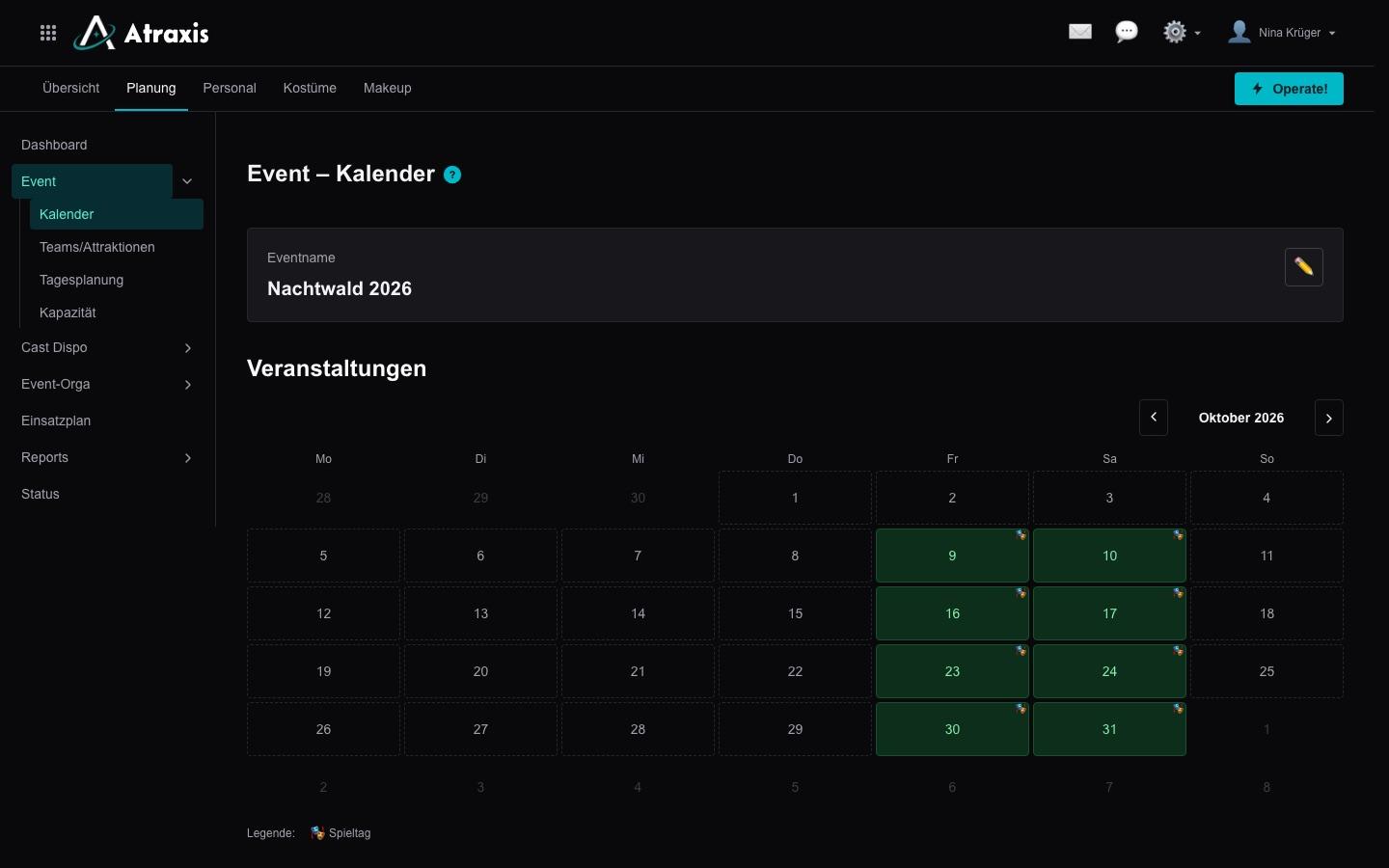
Show days with times and types
Create your event's dates with start, end and the time your cast has to be on site. Types tell show days with a full cast apart from dates like workshops, where all that counts is who attends. You decide when your actors see a date and can enter their availability.
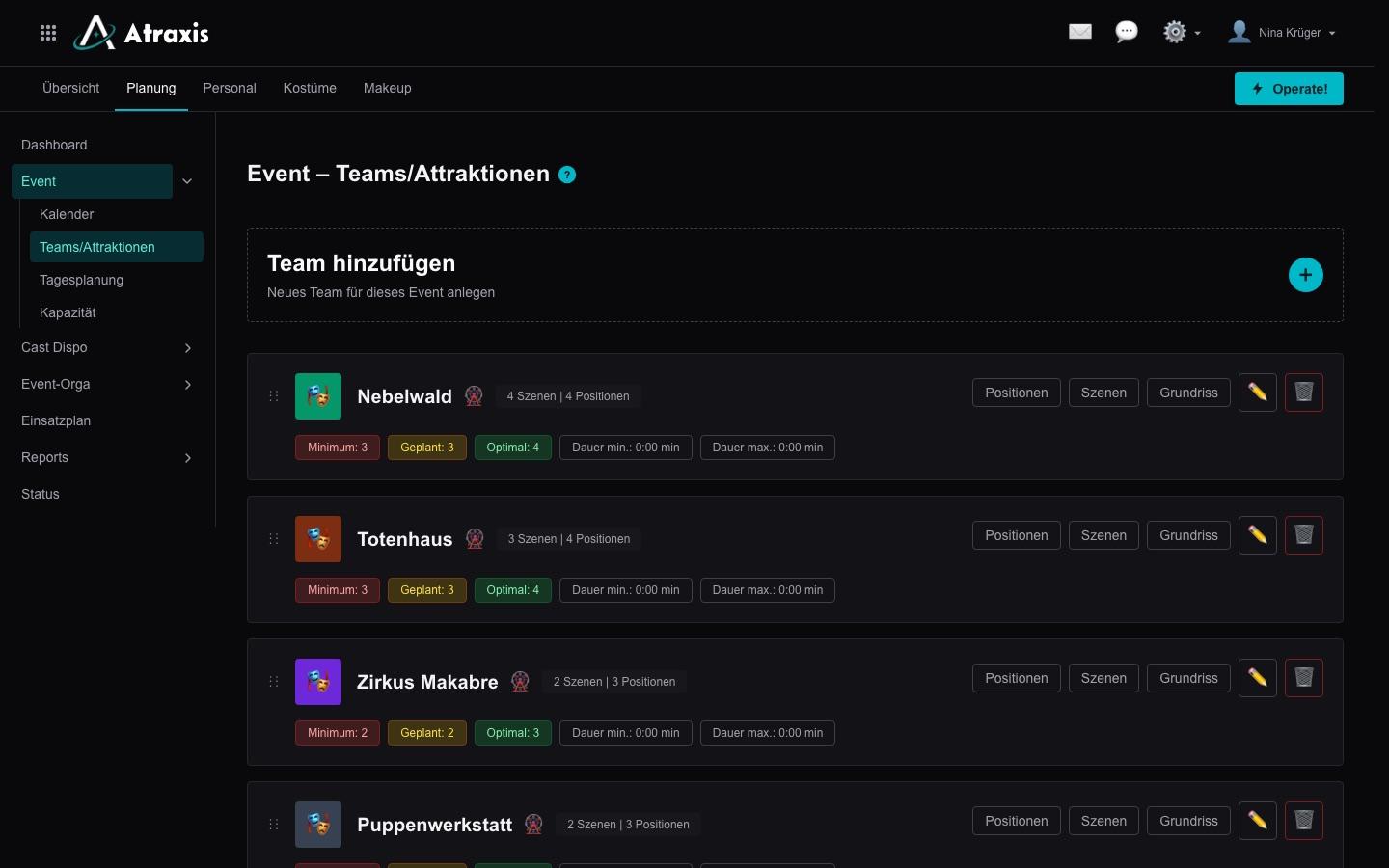
Attractions, acting teams and teams
Haunted houses and scare zones become attractions, walking acts become acting teams, box office or tech become teams. Colour, icon and order apply throughout planning, and for each show day you decide which attractions are open. For the next season, you take over attractions and teams with their scenes and positions from an existing event.
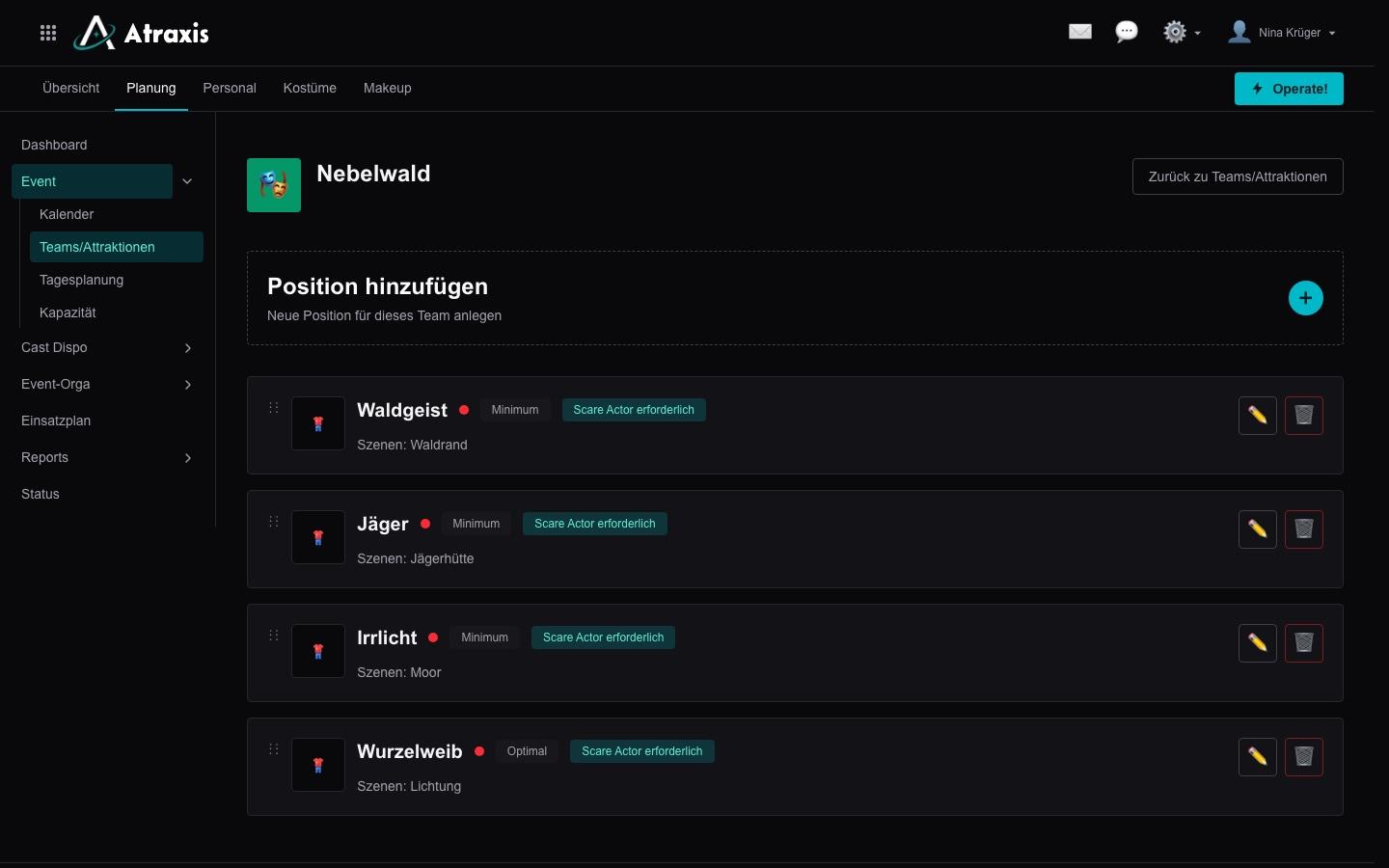
Scenes and positions
Every attraction gets its scenes and the roles in them. Staffing levels define what has to be filled at a minimum and what makes a full cast - the basis for your scheduling.
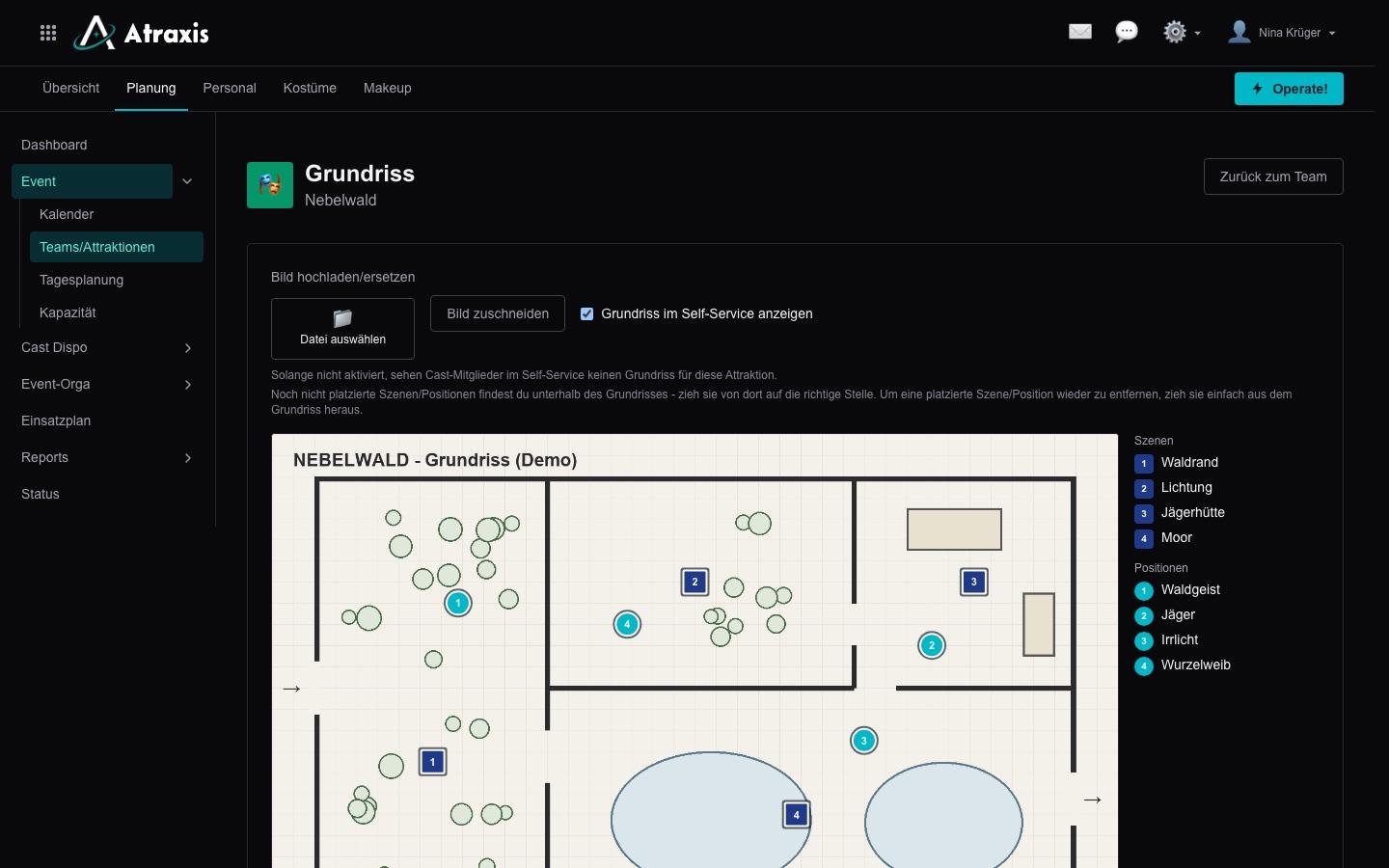
Floor plans
Upload a floor plan for each attraction and place scenes and positions on it. If you like, your actors see in self-service where their scene is. When the attraction comes back next year, you take the floor plan over from the old event.
Capacity of every attraction
How many guests go through an attraction per group, how often does a group start, and how many guests fit in on an evening with walk-in admission? These figures are the basis for your ticket planning.
How is your event set up?
Tell us about your attractions, scenes and show days. Together we'll see whether Atraxis fits your event.